See where your app ranks in every market, then write the listing that ranks higher.
ASOMaster is a Mac app for App Store and Google Play optimization. It searches each keyword in each country's own language, puts real Apple Ads and Google Ads popularity next to its estimates, and drafts, compares and localizes your listing with the AI you already pay for.
macOS 13 or later on Apple Silicon and Intel, Windows 11 beta. Pro is €15.99 a month or €49 a year.
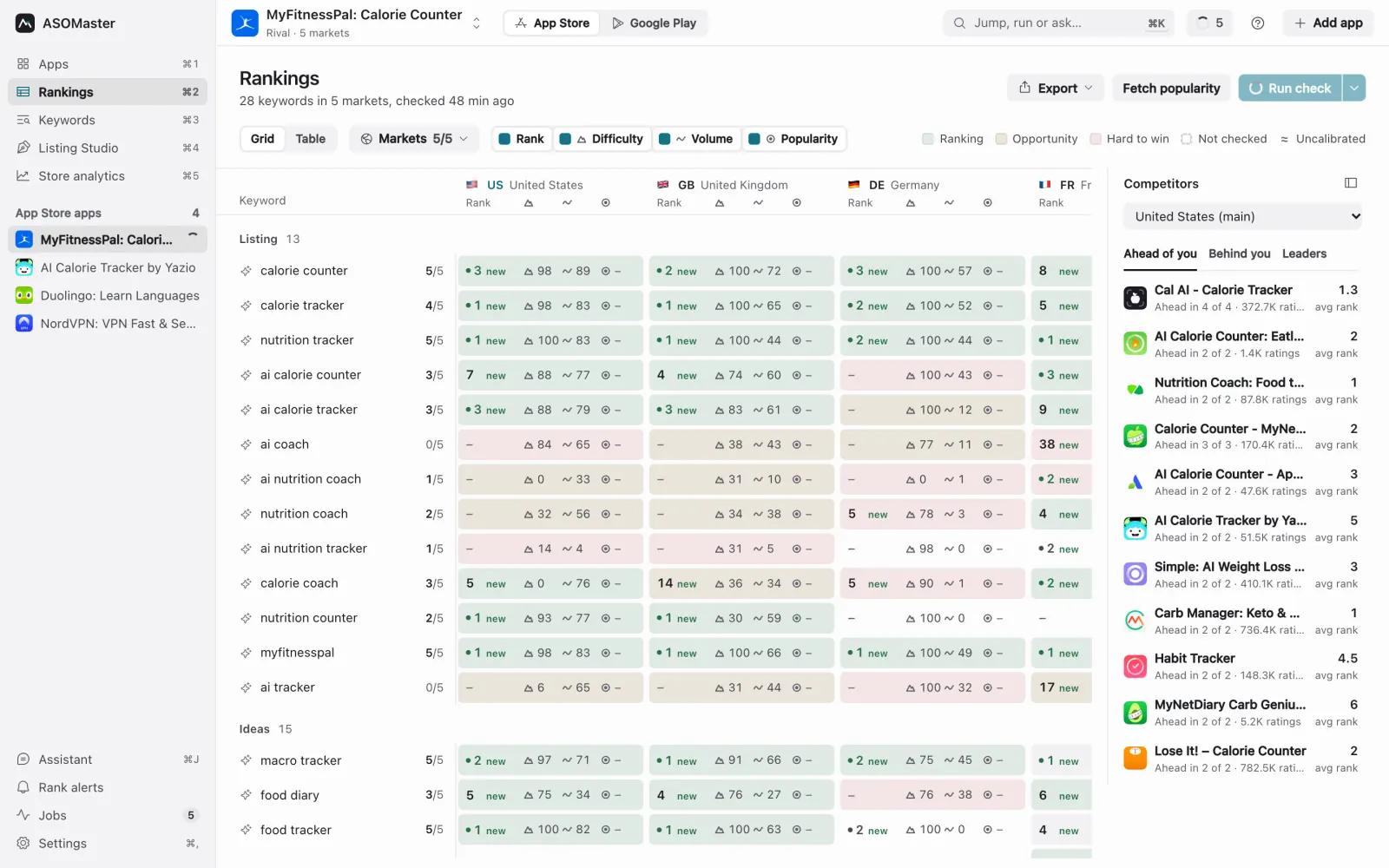
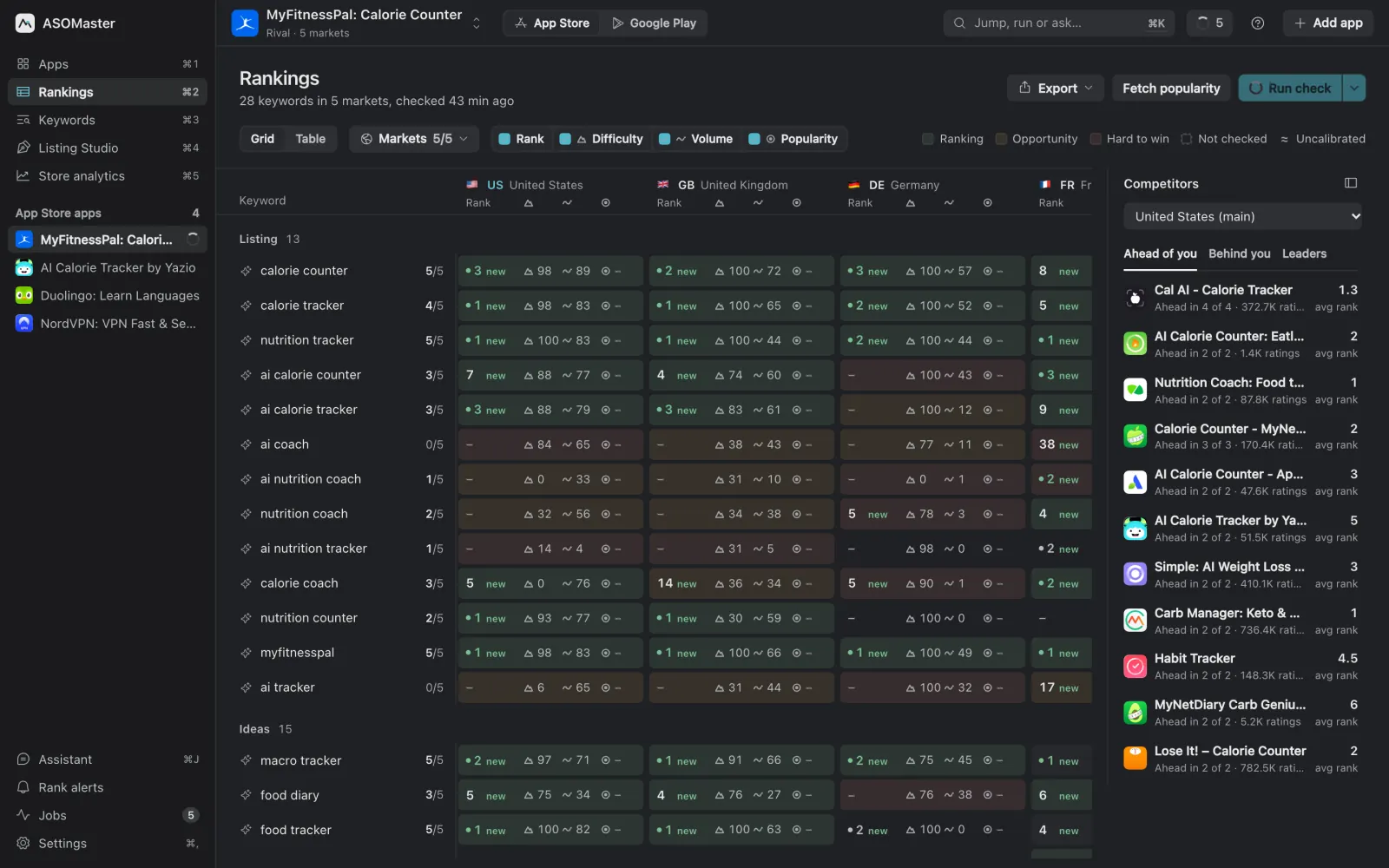
The App Store and Google Play, side by side
Most keyword tools pick one store. ASOMaster tracks both with the same board, the same metrics and one switch between them. Apple and Google projects stay separate, because the same app ranks differently in each.
- App Store markets
- 54
- Google Play markets
- 53
- Tracked by default
- 18
- Listing languages
- 49
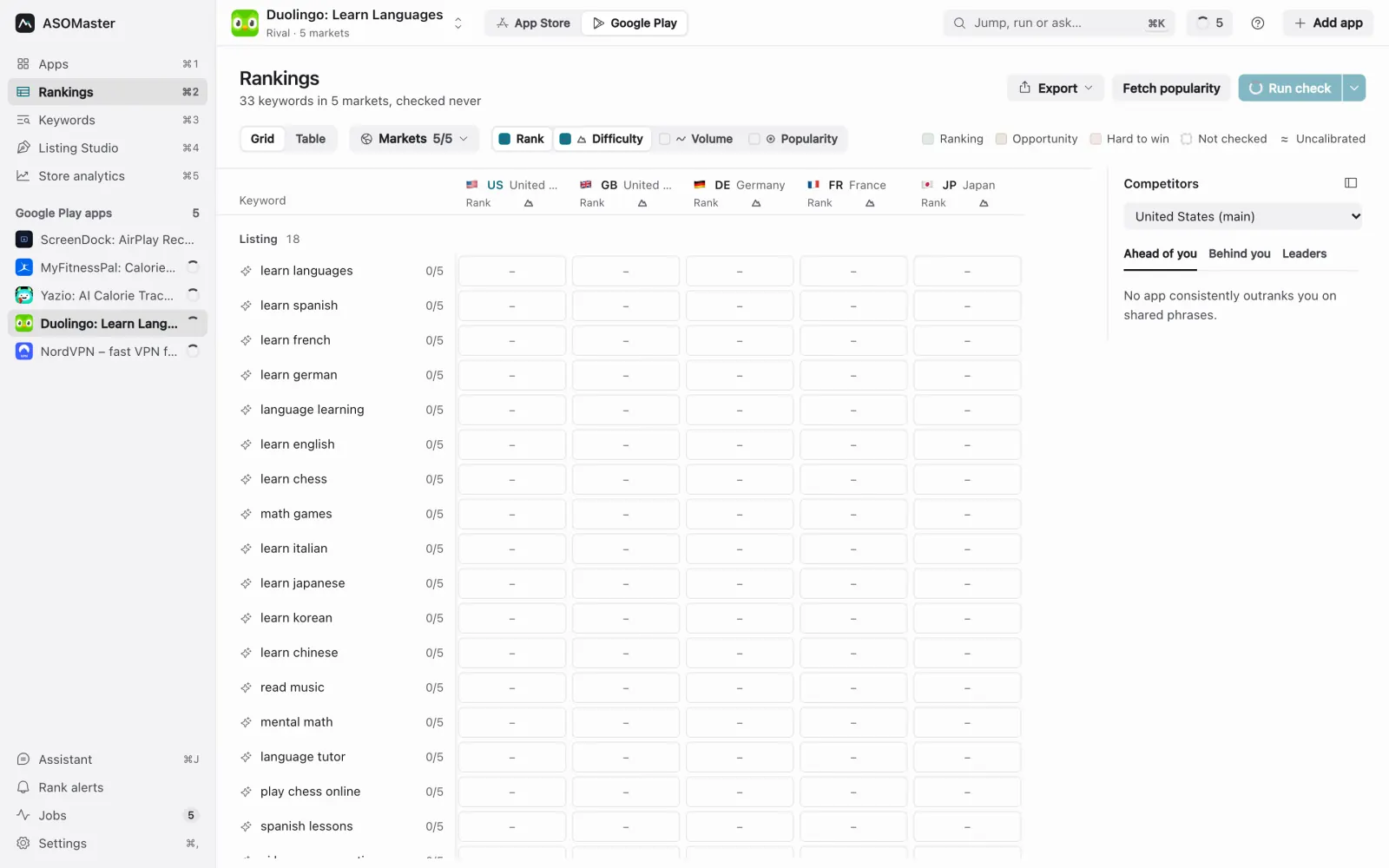
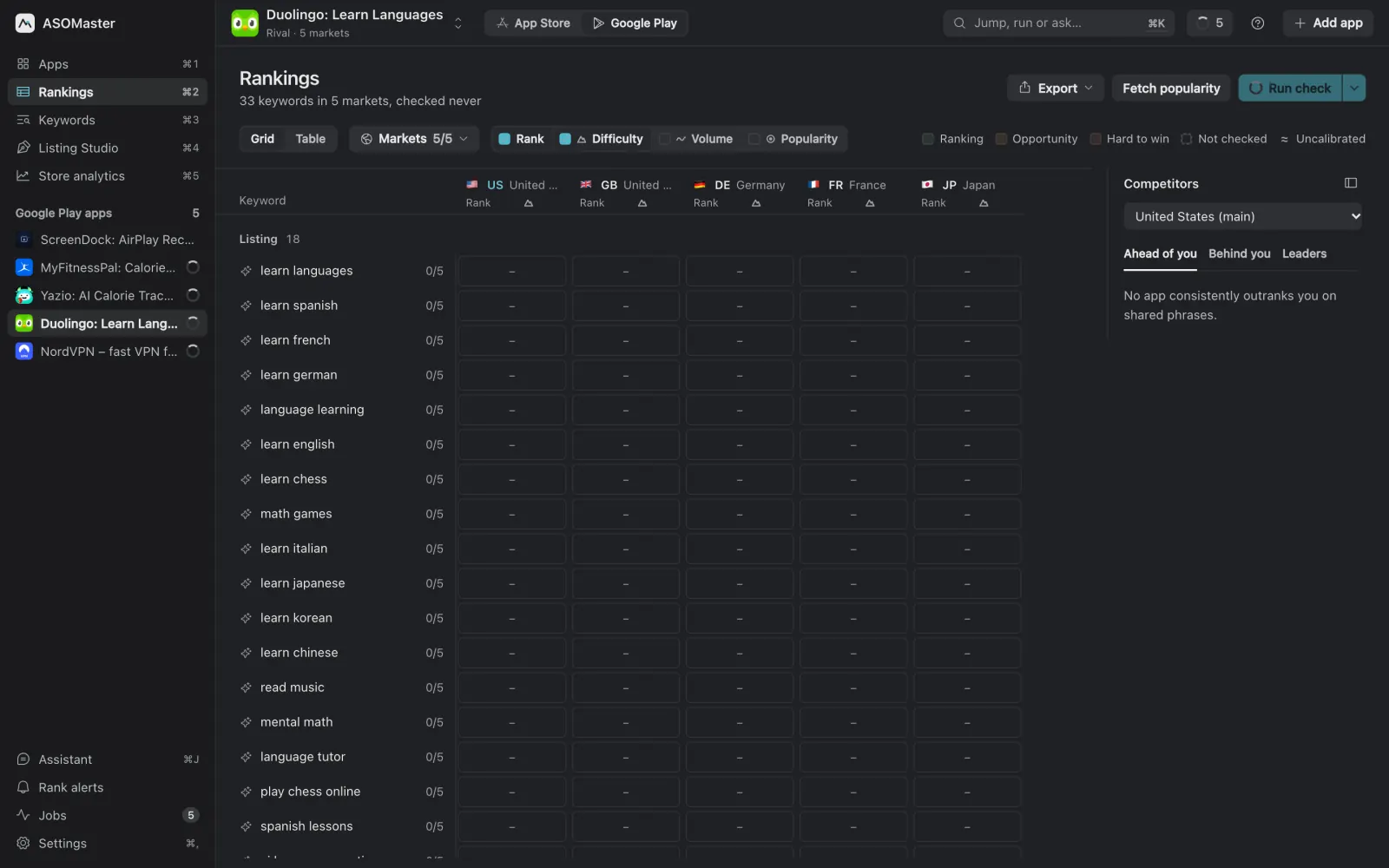
Every market, searched in its own language
People in Germany type “weißes Rauschen”, not “white noise”. Add a keyword once and ASOMaster writes the phrase locals actually search for in each market, then checks your rank there. English stays English where people search in English, and you can change any local phrase yourself.
- Market potential. Pick markets by estimated iPhone or Android users and buying power, or take the top 5, 10 or 18.
- Ideas without an app. Brainstorm a niche from a one-line brief and check it in every market before you build.
- Bring your list. Import keywords from a CSV file or from Astro.
- USwhite noise8 ▲2
- GBwhite noise11 ▼1
- DEweißes Rauschenwhite noise4 ▲3
- JPホワイトノイズwhite noise44
- BRruído brancowhite noise7 ▲6
- FRbruit blancwhite noise14 ▲2
- ESruido blancowhite noise3
- KR백색소음white noise–
One keyword in eight markets. Green: in the top 10 or climbing. Amber: worth a push. Red: hard to win. Grey: not ranked yet.
Know who outranks you, and on which words
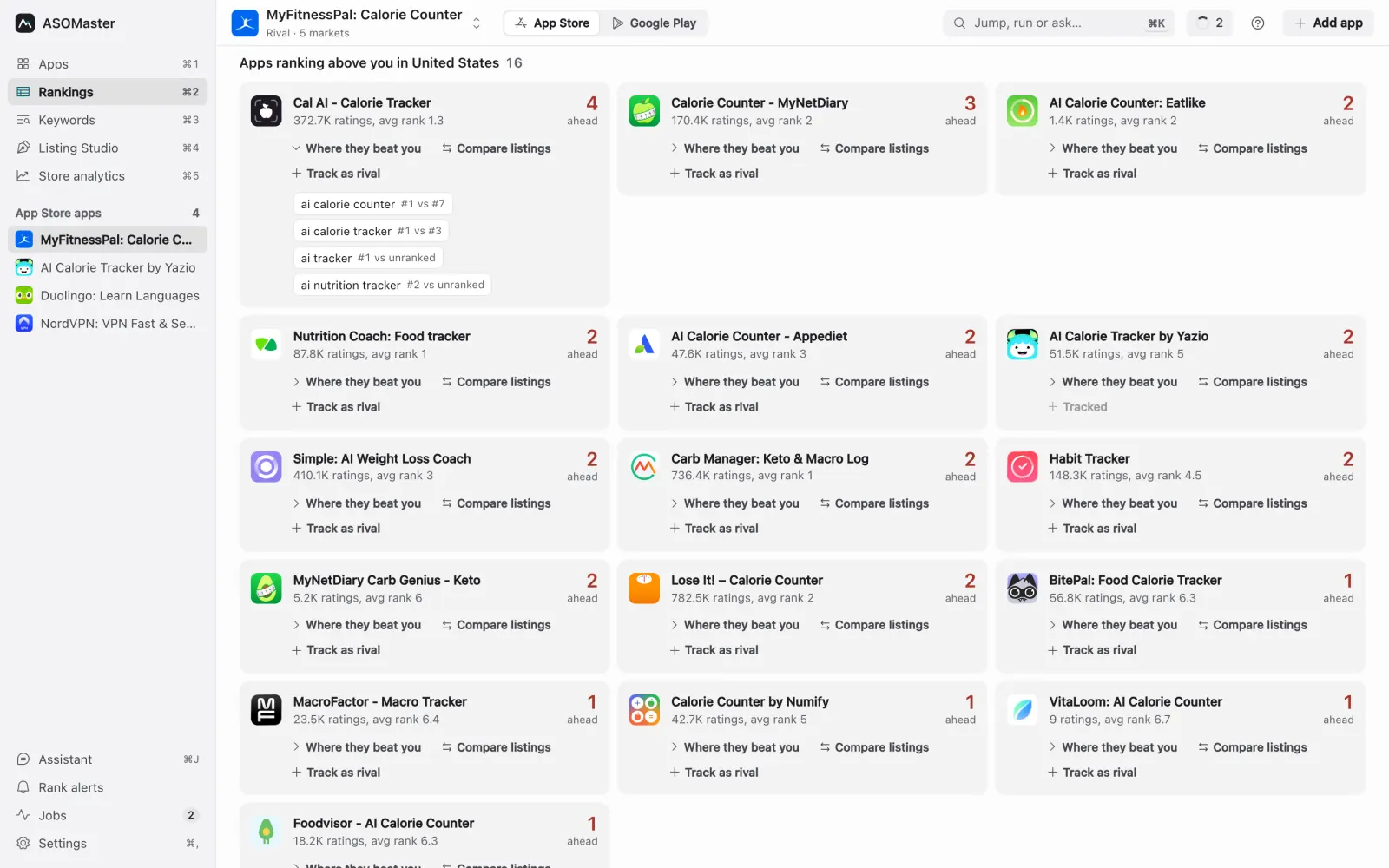
Each cell shows your rank and how it moved. Click one for that market's top ten and your rank history. Market cards above the board show your top-10 share, the week's change and the keyword closest to the top three.
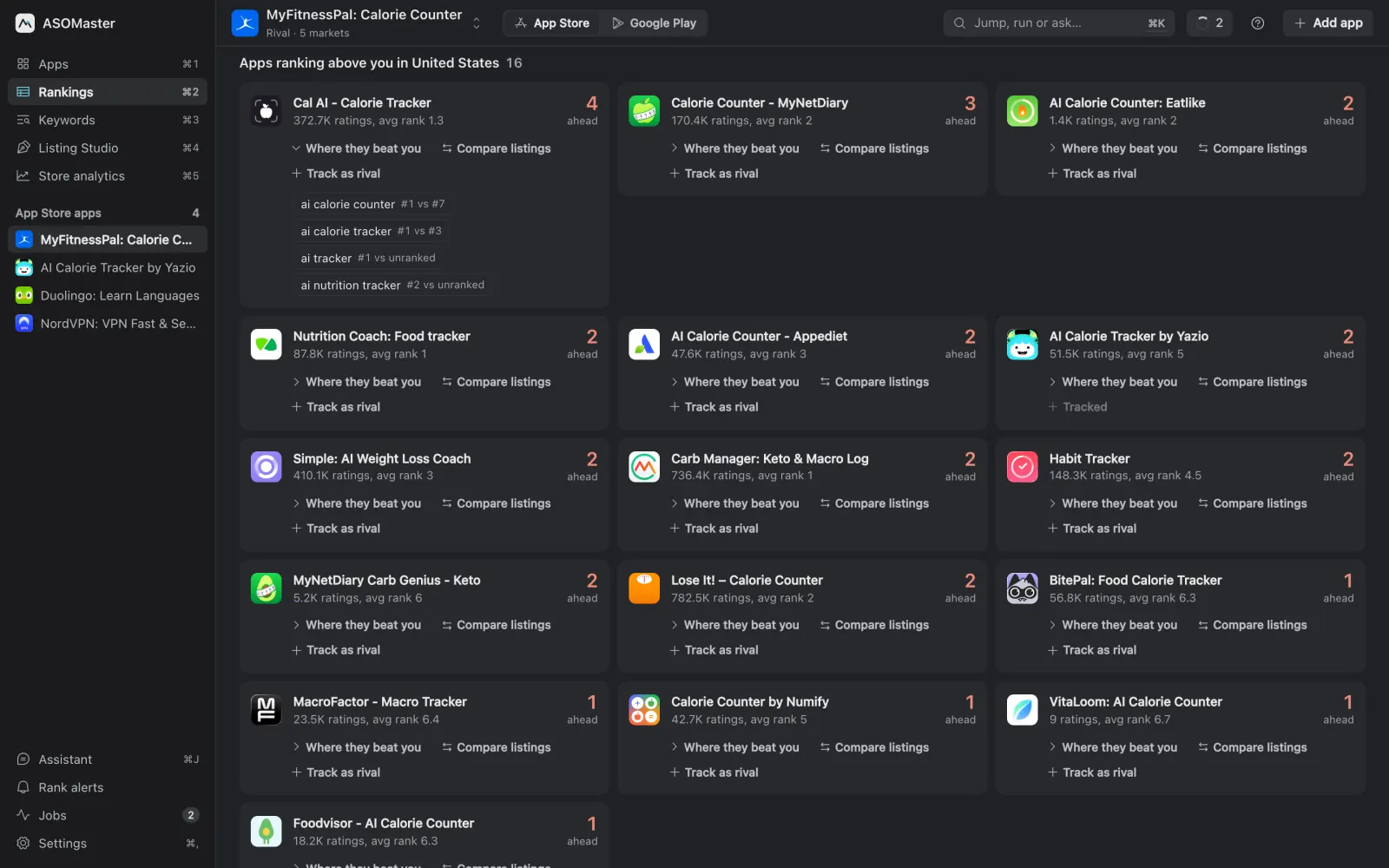
- Rivals. See the apps ranking above you, the exact keywords each one wins and their rank against yours. Put their name and subtitle next to yours, or track them as a rival.
- History in context. Daily rank history, with a marker on the day you published a listing change.
- Checks on a schedule. Daily, weekly or whenever you press Run check. Interrupted checks pick up where they stopped.
- Exports. Any board or history to CSV or Excel.
Real popularity next to the estimate, never mixed up
Estimates come from what each store shows: which apps rank and how many ratings they have. They exist for every keyword you check. Connect Apple Ads or Google Ads and ASOMaster also fetches the popularity those platforms report, in its own column with its own symbol.
No ads account? Import popularity from a CSV file or from Astro, and it is labelled as imported.
- Rank
- Rank and movementYour position in that market's search, and how far it moved since the last week's check.
- Difficulty
- Difficulty estimateHow hard the top ten is to break into, judged from the apps already there.
- Volume
- Volume estimateHow much demand the phrase has, modelled from the apps that match it.
- Popularity
- Popularity realApple's or Google's own number from your Apple Ads or Google Ads account, or your imported file.
The cell's colour is the verdict. It weighs your rank first, so a keyword you already rank for is never painted as hopeless, and a phrase nobody searches is never green.
Listing Studio: three drafts and an honest comparison
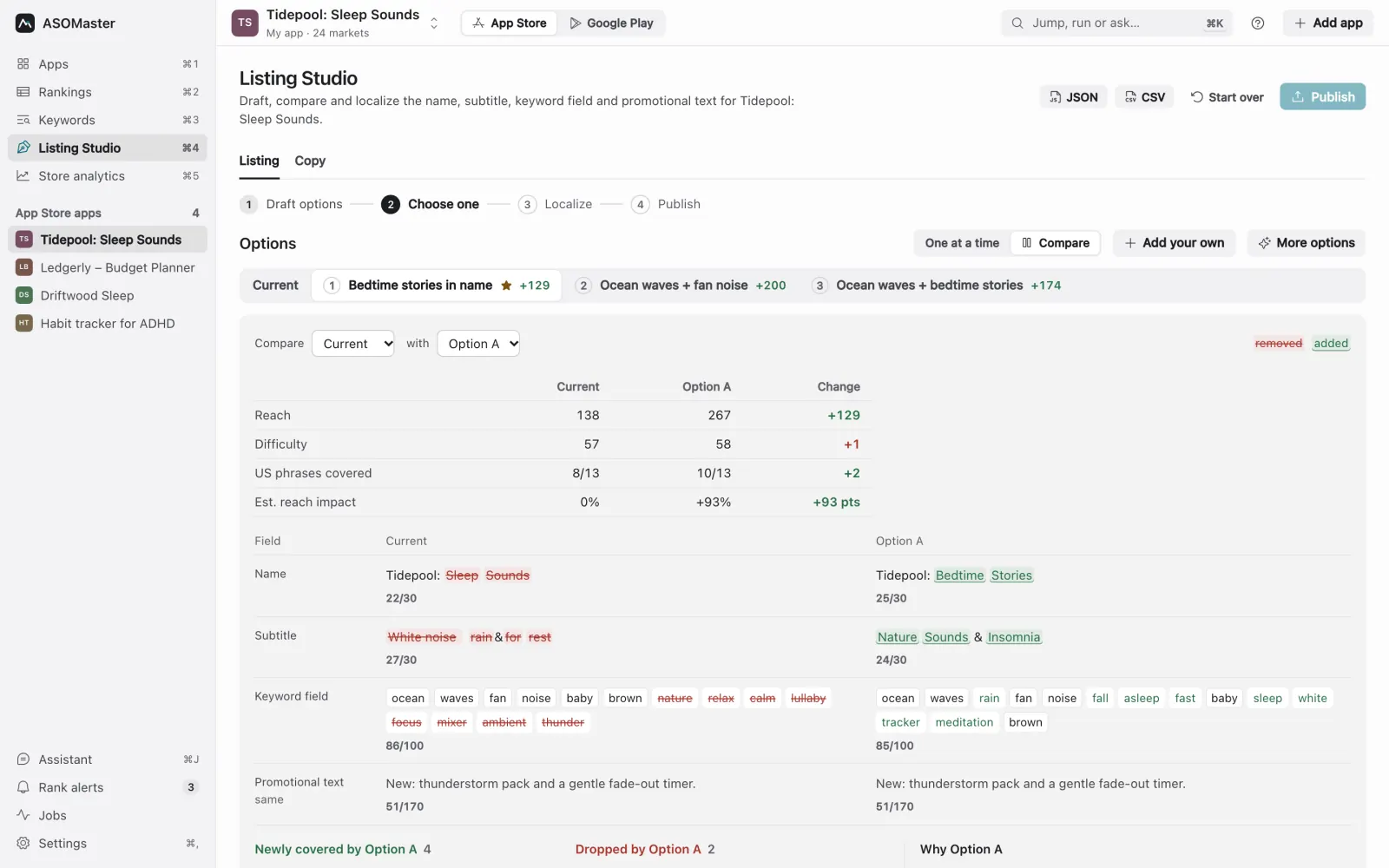
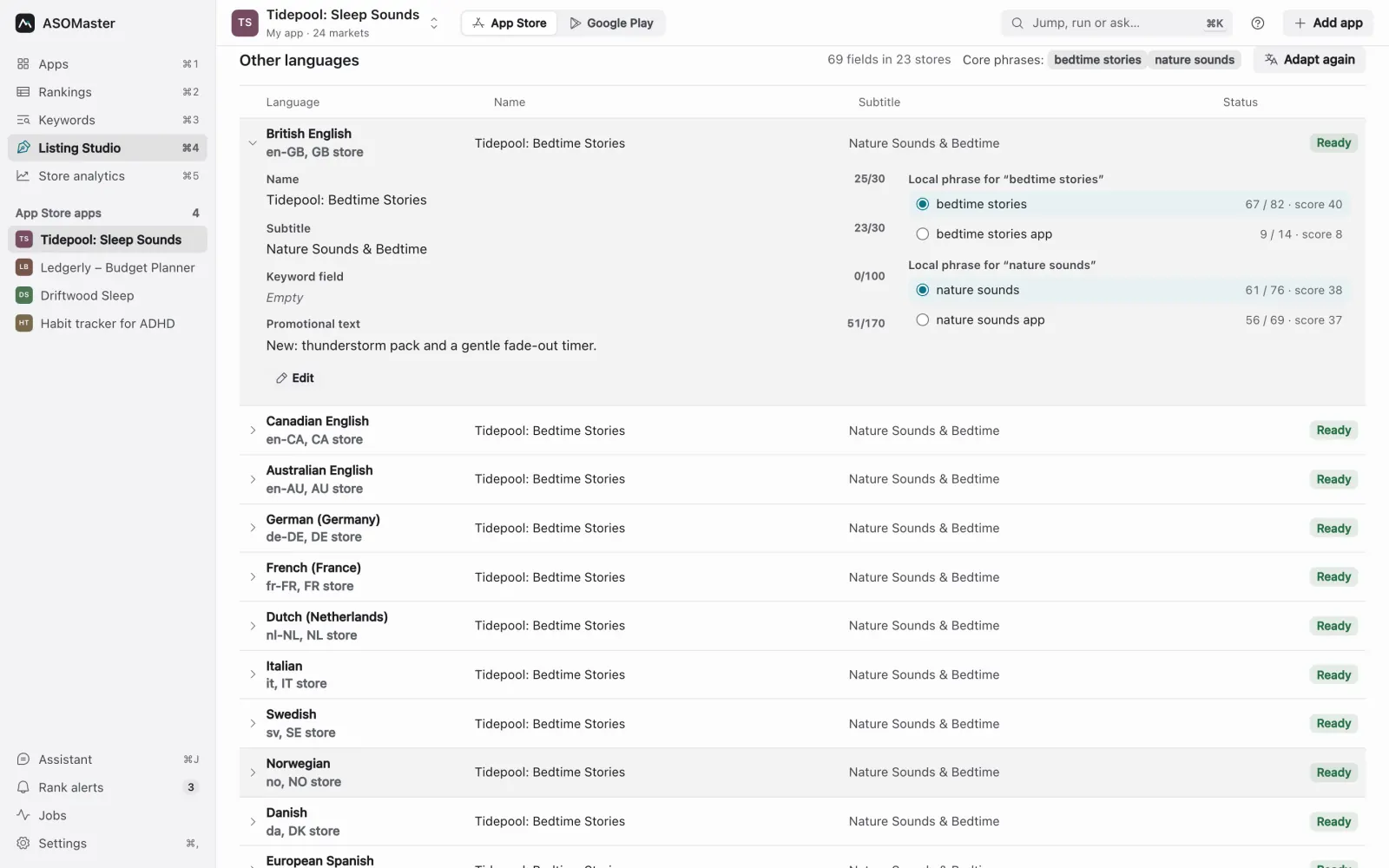
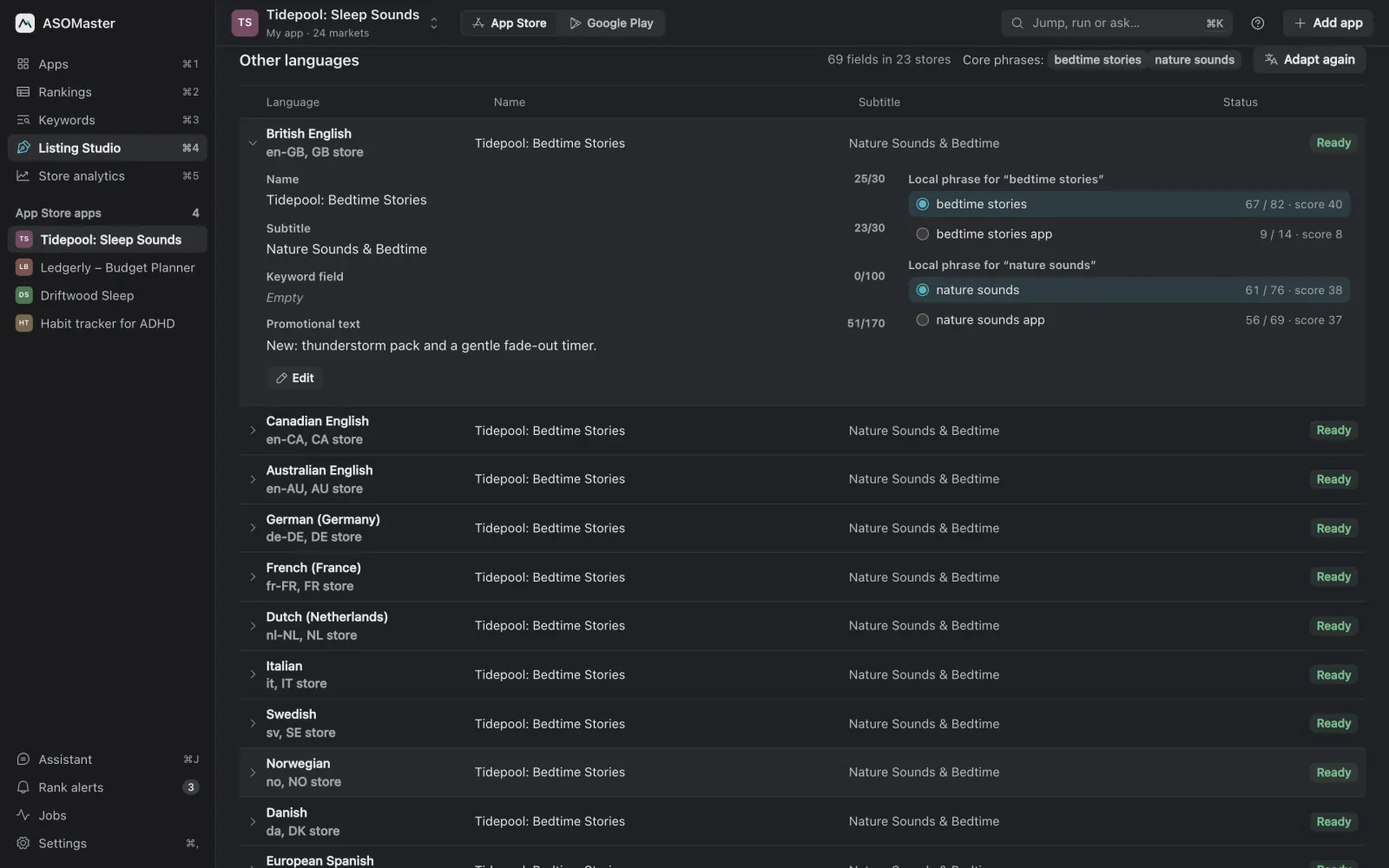
Listing Studio finds the phrases worth targeting, measures them, then drafts three versions of your name, subtitle and keyword field. Each one shows its reach and difficulty against your live listing, one is marked as the recommendation, and the explanation says why in plain words.
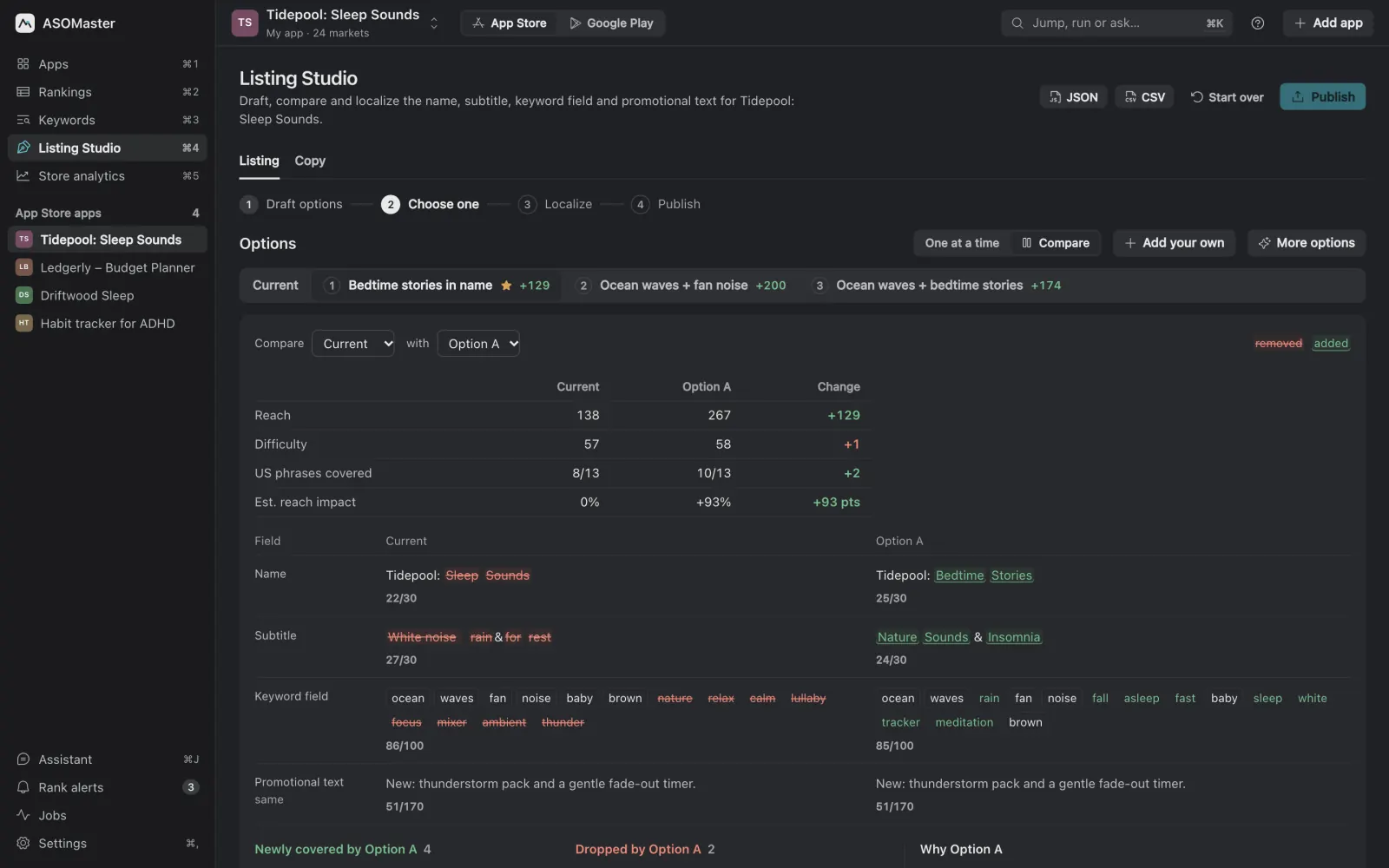
- Compare any two. Word-level differences in every field, phrases newly covered and dropped, and both scorecards side by side.
- 49 languages, tested locally. For each language, local candidates are searched in that store and the winner is picked on demand and difficulty, not translated word for word. A language that fails never stops the rest, and you can finish the remaining ones later.
- Publish when you say so. Writes a new version to App Store Connect, or an edit to Google Play. It never submits for review, and drafts stay on your Mac until you publish.
- Character limits enforced. 30 / 30 / 100 on the App Store, with counters on every field and no word wasted twice across fields.
Descriptions, promotional text and captions, measured
The Copy step drafts your description and promotional text around the phrases you target and shows how often each one appears in the live text and in the draft. Google Play searches the full description, so this counts twice there.
It can also draft screenshot captions and in-app event text from the same phrases.
| Target phrase | Live | Draft | Status |
|---|---|---|---|
| bedtime stories | 0 | 3 | Covered |
| nature sounds | 1 | 2 | Covered |
| insomnia relief | 0 | 1 | Light |
| ocean waves | 4 | 2 | Covered |
| white noise | 6 | 3 | Covered |
How often each target phrase appears in the live description and in the draft. Repeating a phrase six times doesn't help; the draft spreads coverage instead.
Store analytics and rank alerts next to your rankings
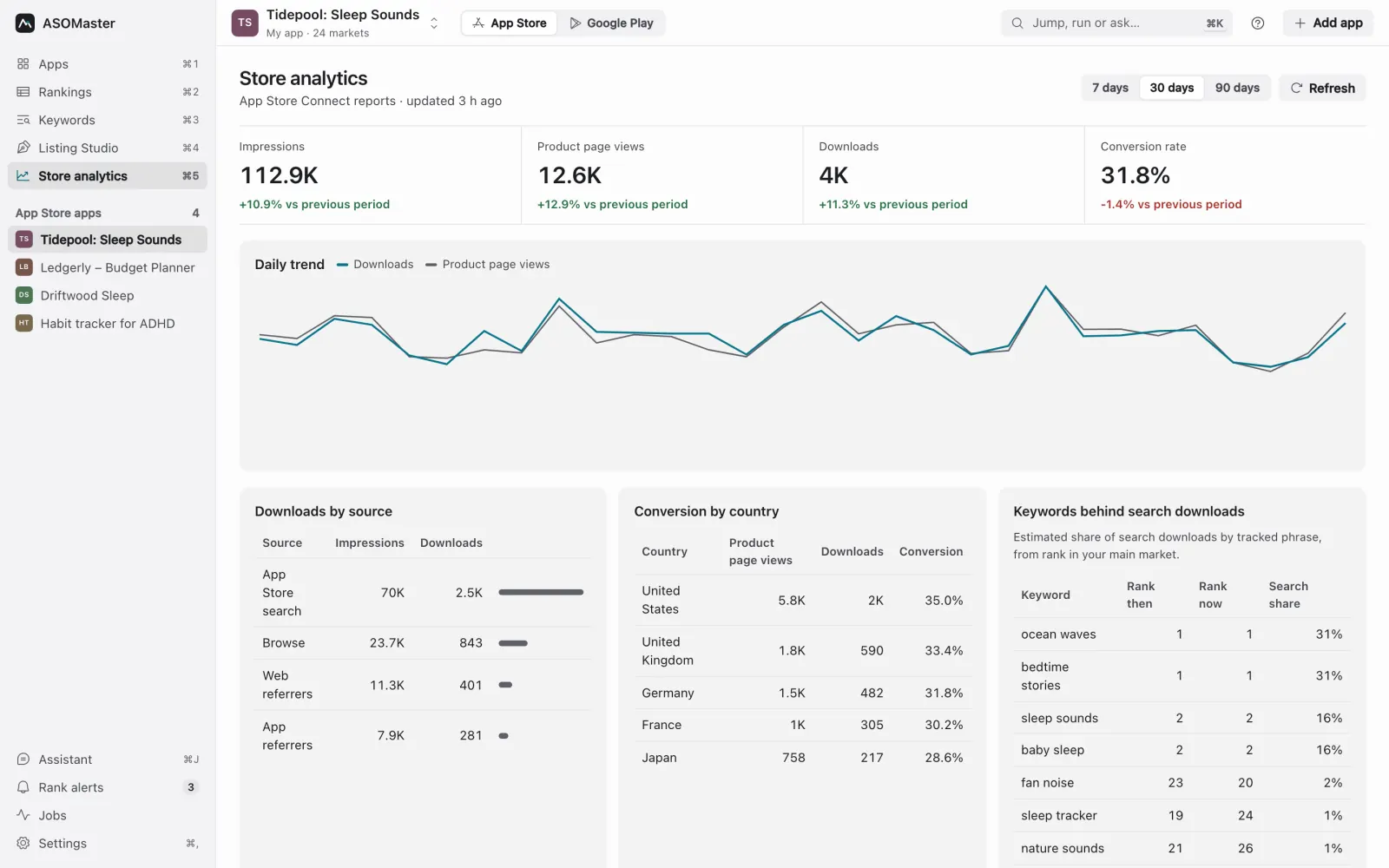
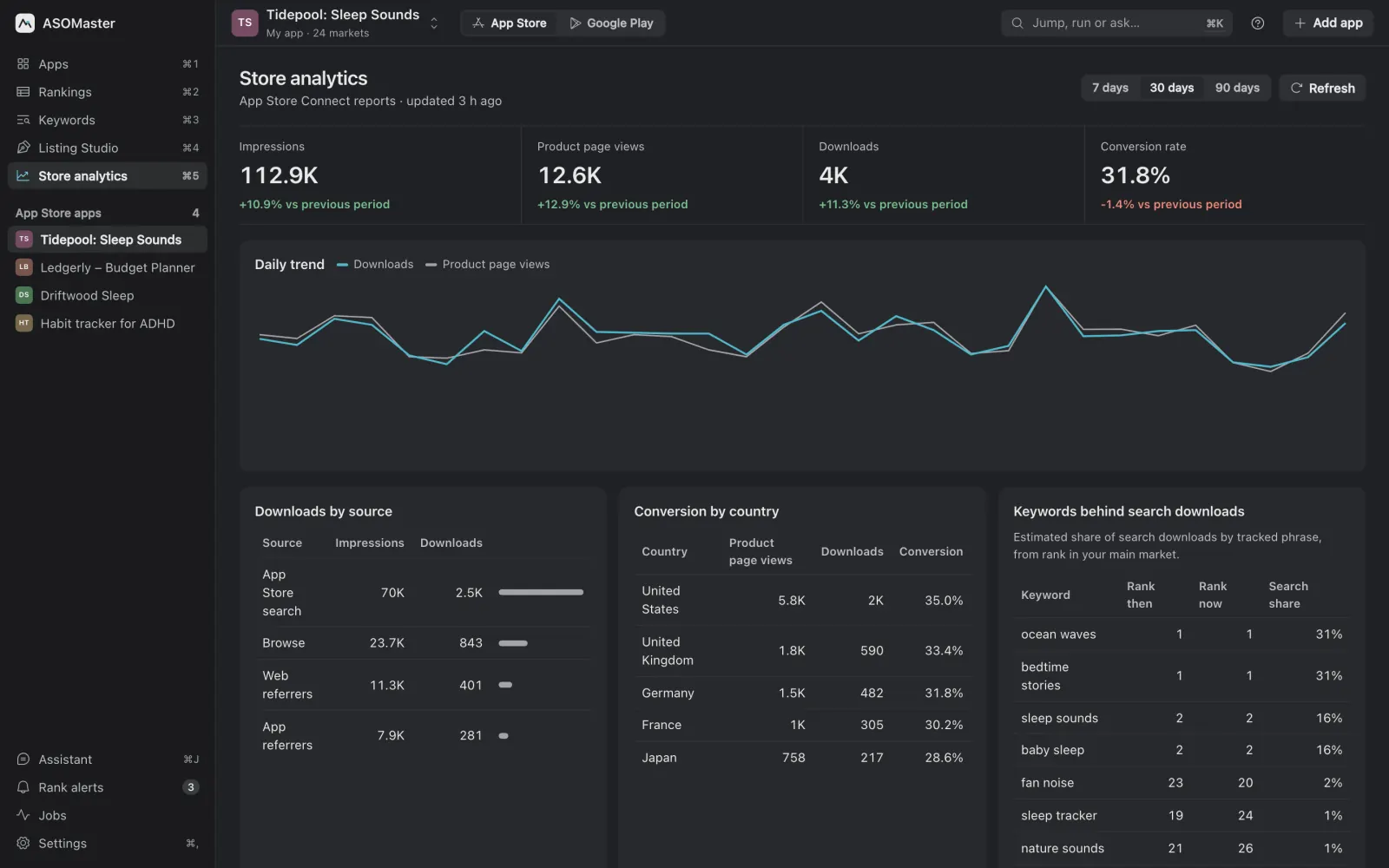
Connect App Store Connect or Play Console and ASOMaster pulls impressions, product page views, downloads and conversion, by source and by country, into the same app as your keywords.
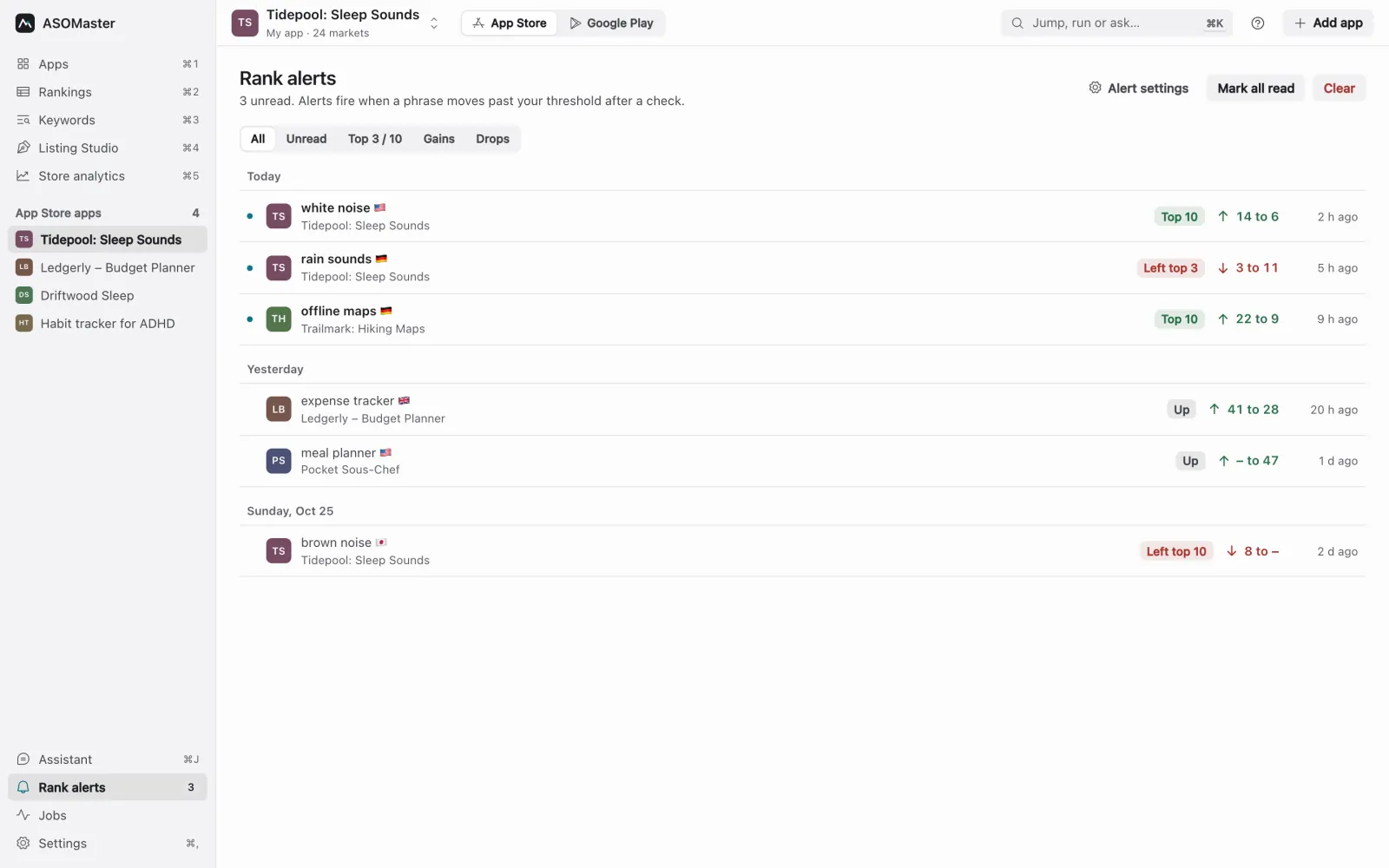
- Rank alerts. Know when a keyword enters or leaves the top three or top ten.
- Where you work. A macOS notification, a message in your Slack channel, or an email digest.
AI on the subscription you already pay for
ASOMaster sells no AI credits. Brainstorms, listing drafts, localization and the assistant run on the AI tool you already use, under its own limits and pricing. Choose a local model and the text never leaves your Mac.
- Claude CodeWith your Claude plan or API account
- CodexWith your ChatGPT plan
- OpenCodeWith any provider you connected to it
- OllamaA local model; nothing leaves your Mac
- Anthropic APIYour own API key
- Setup in one Terminal window. The app walks you through install and sign-in, then asks a real test question before it calls a provider ready.
- An assistant that asks first. Ask in plain words or use slash commands. It proposes changes as a checklist, and nothing changes until you apply them.
- Clear errors. Signed out, out of usage, a model your plan doesn't include, or a CLI too old for it: the app says which, and offers the fix.
Your AI agent can work in it too
ASOMaster includes an MCP server with 57 tools. Claude Code, Codex, Cursor, Claude Desktop, Windsurf and OpenCode can read your boards, add keywords, run checks and draft listings in the app you're looking at. Install it from Settings in one click, or paste the config.
Publishing needs your explicit approval, and keys are never handed to an agent.
Run once in Terminal.
claude mcp add --scope user asomaster -- /Applications/ASOMaster.app/Contents/MacOS/asomaster-mcp
Add to ~/.codex/config.toml.
[mcp_servers.asomaster]
command = "/Applications/ASOMaster.app/Contents/MacOS/asomaster-mcp"
args = []
Add to ~/.cursor/mcp.json, or use Add to Cursor in the app's settings.
{ "mcpServers": { "asomaster": {
  "command": "/Applications/ASOMaster.app/Contents/MacOS/asomaster-mcp",
  "args": [] } } }
Add to ~/Library/Application Support/Claude/claude_desktop_config.json.
{ "mcpServers": { "asomaster": {
  "command": "/Applications/ASOMaster.app/Contents/MacOS/asomaster-mcp",
  "args": [] } } }
Add to ~/.codeium/windsurf/mcp_config.json.
{ "mcpServers": { "asomaster": {
  "command": "/Applications/ASOMaster.app/Contents/MacOS/asomaster-mcp",
  "args": [] } } }
Add to ~/.config/opencode/opencode.json.
{ "mcp": { "asomaster": { "type": "local",
  "command": ["/Applications/ASOMaster.app/Contents/MacOS/asomaster-mcp"],
  "enabled": true } } }
Where am I outside the top 10 in Germany?
get_project_board(projectId: "12", markets: ["de"])
7 of 12 keywords. The closest is “weißes Rauschen” at 11, difficulty 35. Hushwave holds the top spot on four of the seven. Want me to draft a German subtitle around it?
Your keyword data stays on your Mac
ASOMaster is local-first. There is no ASOMaster account to sign in to and no cloud copy of your work.
- Keyword databaseKept in a database file on your Mac, with your boards, history and drafts.
- Store and ads keysApp Store Connect, Play Console, Apple Ads and Google Ads credentials live in the macOS Keychain and are sent only to Apple or Google.
- Store dataEvery rank check is a live search of the public store, made from your computer.
- AIOnly the text a task needs goes to the provider you chose. With Ollama, nothing leaves your Mac.
- What reaches usLicense activation and renewal, update checks, and feedback or alert emails you choose to send. Nothing else.
An honest comparison
Where ASOMaster fits next to the tools you may already know, including what it doesn't do.
| What you need | ASOMaster | Typical desktop keyword trackers | Typical cloud ASO suites |
|---|---|---|---|
| App Store and Google Play | Both, one switch | Usually one store | Both |
| Keywords in each market's language | 54 + 53 markets, local phrase per market | Varies | Often translated lists |
| Real popularity next to estimates | Apple Ads and Google Ads, your accounts | Estimates only | Their own estimates, sometimes Apple's |
| Listing drafts you can compare | Three options, word-level diff | Some | Some |
| Localization tested against local searches | 49 languages | Rare | Mostly translation |
| Publish to App Store Connect and Google Play | Both, never submits for review | App Store at most | Rare |
| Description and promotional text | Drafts with phrase density | No | Some |
| Store analytics and rank alerts | From your consoles; app, Slack, email | Rare | Yes |
| AI | Your own Claude Code, Codex, OpenCode or Ollama | Varies | Built in, metered by credits |
| MCP for AI agents | 57 tools | Some | Rare |
| Where your data lives | On your Mac | On your computer | The vendor's cloud |
| Team workspaces and sharing | No, one person's Mac | No | Yes |
| History from before you started | No, history starts with your first check | No | Often years of it |
| Price | €15.99 a month or €49 a year | One-time or subscription | Monthly, often per seat |
"Typical" describes the common shape of each category, not any one product. If you need team workspaces or years of market-wide history, a cloud suite is the better fit today.
One plan with everything, two ways to pay
ASOMaster Pro includes every feature and both stores. Pay monthly, or yearly for less than a third of the price.
Monthly
€15.99a month
Plus VAT. Cancel anytime; you keep access until the month ends.
Subscribe monthlyYearly Save 74% over monthly
€49a year
€4.08 a month, plus VAT. Cancel anytime; you keep access until the year ends.
Subscribe yearly- App Store and Google Play, every market
- Rank checks with daily history
- Real popularity from your Apple Ads or Google Ads account
- Listing Studio: drafts, compare, 49 languages, publishing
- Description, promotional text and screenshot captions
- Store analytics and rank alerts
- Assistant and AI drafts on your own AI tool
- MCP server with 57 tools for agents
- 2 computers per license
- Every update while you're subscribed
Prices exclude VAT. Stripe adds it at checkout for your country, and businesses can enter a VAT ID. The subscription renews until you cancel it in the billing portal (in the app: Settings, License, Manage subscription). There's no free trial; the monthly plan is the low-commitment way to try it. Your key arrives by email right after checkout.
Download ASOMaster
The download is free. You need a Pro license key to activate it.
macOS
Universal app for Apple Silicon and Intel, signed and notarized by Apple.
macOS 13 Ventura or later.
Download for macOS (.dmg)Windows beta
For 64-bit Windows 11. The installer isn't code-signed yet, so SmartScreen asks you to confirm before it runs.
Windows 11, x64.
Download Windows beta (.exe)- Subscribe to Pro. Your license key arrives by email.
- Open ASOMaster and paste the key. It activates this computer.
- Pick an AI provider, connect a store console if you like, and add your first app.
Questions
Is the volume number Apple's or Google's real search count?
No. Volume and difficulty are ASOMaster estimates modelled from each market's search results. Real popularity comes from your Apple Ads or Google Ads account, or a file you import, and it is shown in its own column so the two never get mixed up.
Do I need App Store Connect or Play Console access?
No. Without a console key ASOMaster reads your public store listing and checks ranks. With one it also reads your keyword field, pulls store analytics, lists your apps in Add app, and can write a new version when you publish.
Will it change my store listing on its own?
No. Drafts stay on your Mac. Only Publish writes to App Store Connect or Google Play, and it never submits a version for review. AI agents connected through MCP must quote your explicit approval before they can publish.
Which AI do I need?
One of Claude Code, Codex, OpenCode, a local model through Ollama, or an Anthropic API key. ASOMaster sells no AI credits; your provider's own limits and pricing apply. With Ollama the text never leaves your Mac.
Where is my data stored?
In a database on your Mac. Store keys are kept in the macOS Keychain and sent only to Apple or Google. ASOMaster's server sees license activation and renewal, update checks, and the feedback or alert emails you choose to send.
How does billing work?
ASOMaster Pro costs €15.99 a month or €49 a year, plus VAT. Payments run through Stripe. Cancel anytime from the billing portal and keep access until the paid period ends. There is no free trial.
How many computers can I use?
Two per license. To move to a new computer, deactivate the old one in Settings or on the license page, then activate the new one. The app works offline for up to 7 days between license checks.
Does it run on Windows?
Yes, as a beta for 64-bit Windows 11. The installer is not code-signed yet, so Windows SmartScreen asks you to confirm before it runs.
I lost my license key. What now?
Enter your purchase email on the license page and the key is emailed to you again.
More answers in the full FAQ, or write to asomaster@cressu.com.